Close the supply loop
Shopping
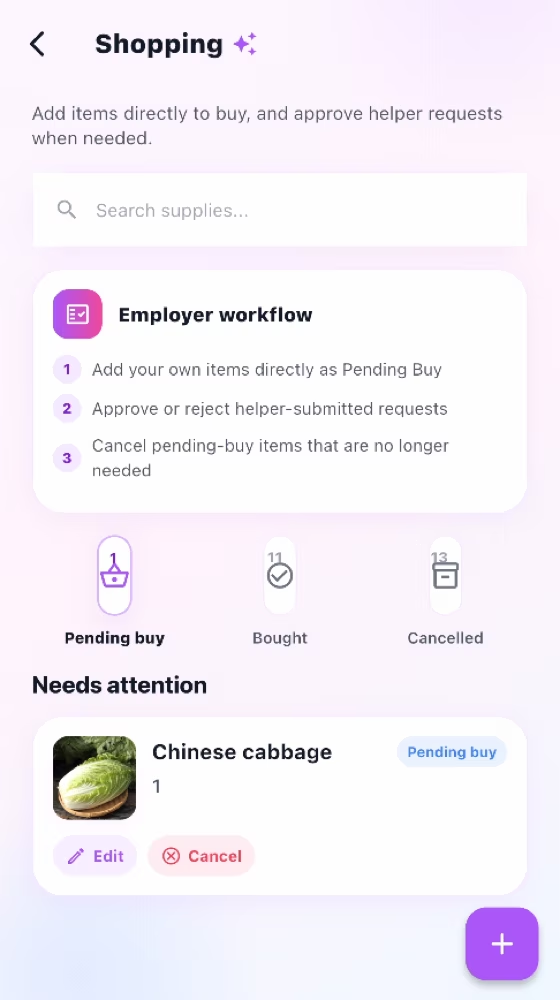
Track household needs through approval, pending purchase, purchase, cancellation, and monthly history.
How it works
For the Employer
Add an item directly to Pending buy, or open a Helper request that needs a decision.
Edit or cancel your pending item, and approve or reject a Helper-submitted request.
Review Purchased and Cancelled history by month after the item leaves the active list.
For the Helper
Submit the item with quantity, notes, and a clear photo, then wait for approval.
Open the approved item in Pending buy and purchase the requested product.
Mark the item purchased so both people can find it in the monthly history.
How it works
Employer-created items go directly to Pending buy; Helper-created items wait for approval.
Approved requests become Pending buy and stay visible to both sides.
Purchased and Cancelled records are grouped by month for later reference.
For the Employer
Add direct purchase items or approve Helper requests, then keep cancelled and purchased history clear.
For the Helper
Submit a clear request with quantity, notes, and a photo, then mark approved items as purchased.
Common checks
Common checks
- Confirm the correct household, account, record, date, and role before saving.
- Review names, notes, links, dates, amounts, and status before the other person acts.
- Keep uploads within the in-app limit; if offline, reconnect and retry.