Reduce misunderstanding
Chat & Translation
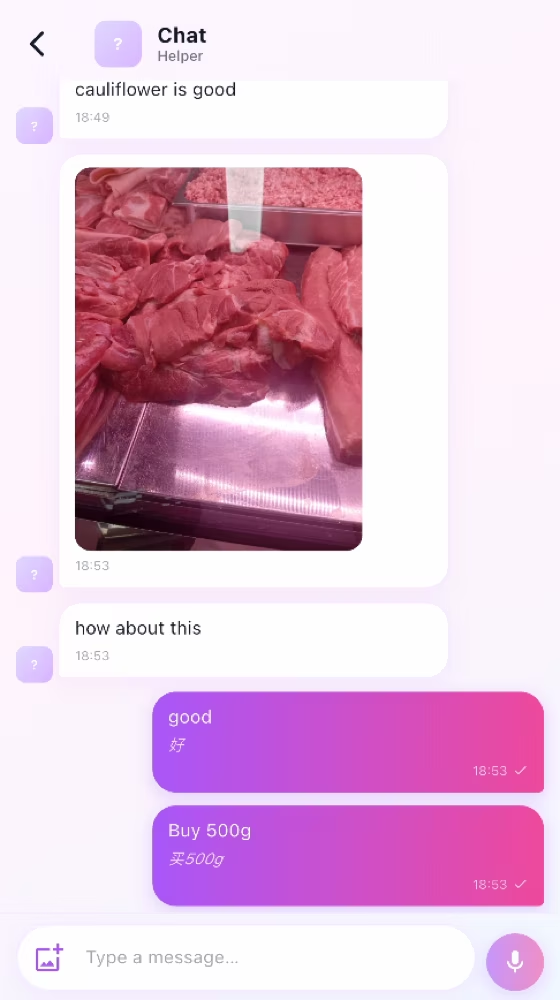
Exchange text, images, voice, links, translations, and shared recipe cards in one household chat.
How it works
For the Employer
Send a clear text, image, voice message, link, or recipe card to the Helper.
Keep formal instructions in tasks, rules, or guides and use chat for clarification.
Check the original message when an automatic translation could change the meaning.
For the Helper
Open the message and compare its original text with the automatic translation.
Long-press to copy original text, open recognized links, or download shared images.
Reply with text, an image, or voice when an instruction needs confirmation.
How it works
Send text, compressed images, voice messages, links, or a MyRoutiq recipe card.
Open recognized links in the browser or a compatible installed app.
Use translation as support and refer back to the original when wording is uncertain.
For the Employer
Use chat for quick clarification while keeping formal work details in tasks, rules, or guides.
For the Helper
Read the original and translated message, open shared links, and copy original text when needed.
Common checks
Common checks
- Confirm the correct household, account, record, date, and role before saving.
- Review names, notes, links, dates, amounts, and status before the other person acts.
- Keep uploads within the in-app limit; if offline, reconnect and retry.