Open the exact record
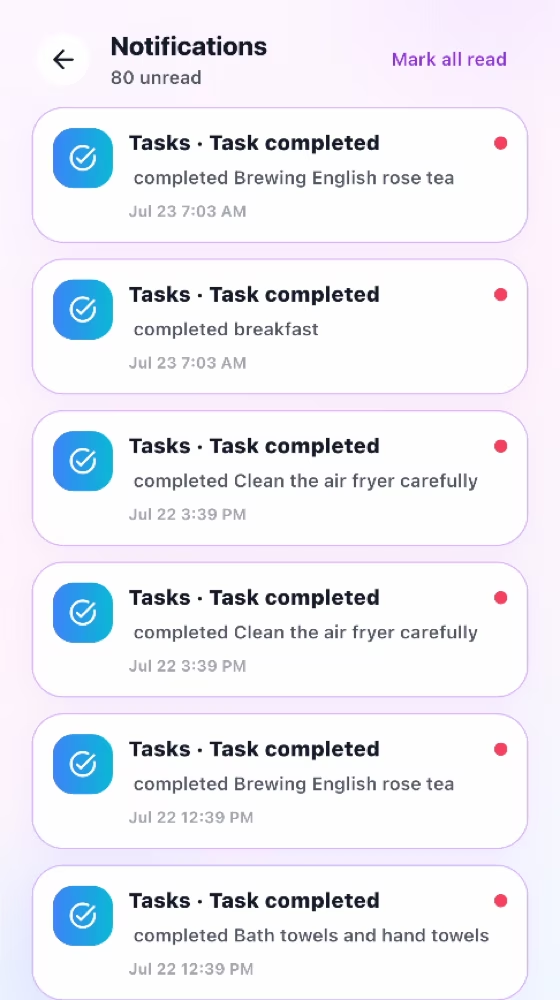
Notifications
Receive role-relevant updates and open the related task, request, pay record, or chat.
How it works
For the Employer
Allow notifications to receive completed-task updates and requests needing a decision.
Tap the notification to open the related task, shopping item, rest request, pay record, or chat.
After switching accounts, confirm notifications belong to the currently signed-in account.
For the Helper
Allow notifications to receive daily task reminders and household decisions.
Tap the notification to open the exact record and complete the next required action.
Use the notification center for missed updates and sign out before changing accounts.
How it works
Allow notifications during setup on the device that will use MyRoutiq.
Open a notification to go directly to its related record when deep linking is available.
Review the notification center for updates that were not opened immediately.
For the Employer
Receive action-focused updates such as a completed task or a request needing a decision.
For the Helper
Receive task reminders and decisions about shopping, rest days, and pay records.
Common checks
Common checks
- Confirm the correct household, account, record, date, and role before saving.
- Review names, notes, links, dates, amounts, and status before the other person acts.
- Keep uploads within the in-app limit; if offline, reconnect and retry.